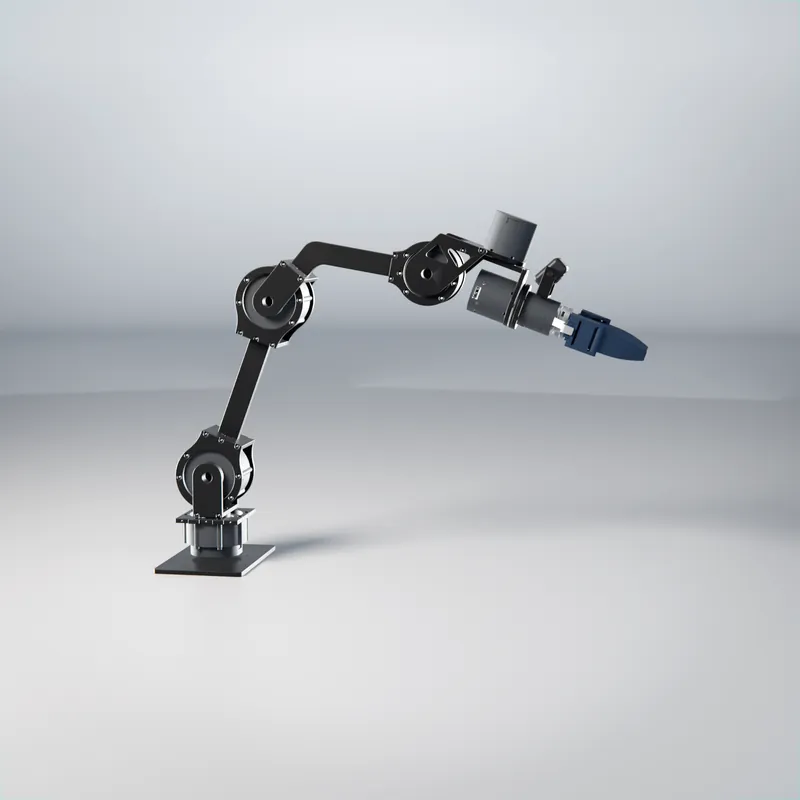
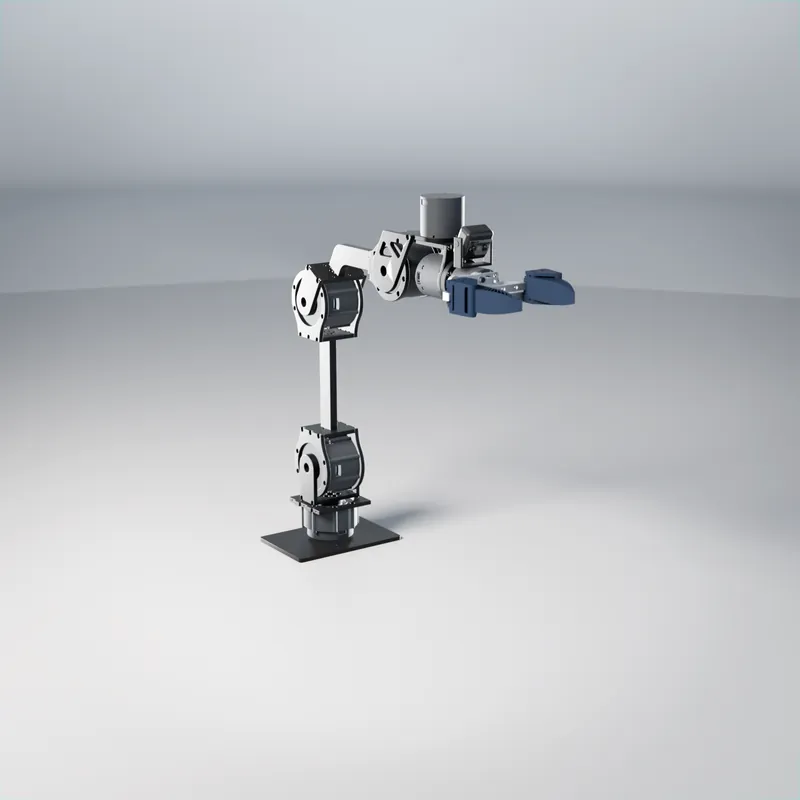
What you need
- Arms
- Two arms, a follower and a leader, on one MC02 boardA Lucen Arm is a 6+1 arm: six joints plus a gripper. The Arm Station is already a pair. With one Lucen Arm, recording demonstrations needs a second arm to lead with: Lucen sells a leader arm or a second Lucen Arm. Write to contact@lucenrobotics.com.
- Computer
- Your own computer (Linux) drives the armThe MC02’s USB goes into it. With an NVIDIA GPU, the same computer trains and runs your policies.
- Power
- 48 V to the motorsWith the emergency stop within reach whenever the motors are on.
- Cameras
- A wrist camera on the follower (USB)A fixed camera over the table is optional.
- For training
- That computer’s NVIDIA GPU, or a MouseMouse accountMouseMouse is Lucen’s hub, with cloud GPUs.
No arm on the bench yet? Every command on this page also runs against a simulated bridge. See Rehearse without hardware.
How the pieces fit
on your computer
limits speed
for both arms
CAN2: leader, ids 8–14
The LeRobot plugins are clients of the SDK’s bridge, which owns the MC02, clamps every target to the joint limits, limits speed and turns the motors off when its client goes quiet. The plugins start the bridge for you when nothing listens on its port, and stop it when the command ends; a bridge you started by hand is used and left running.
The configuration for the pair is Arm/Arm_pair.yaml (bridge port 9881).
1Install
Arm not needed
On the computer the MC02 will plug into, clone the SDK and make two Python environments: one for the bridge, one for LeRobot.
git clone https://github.com/ICE-CUBA/lucen-sdk.git ~/lucen-sdk && cd ~/lucen-sdkbash setup.sh # ~/lucen_env: the bridge's environment; udev rule for the MC02 (sudo)uv venv --python 3.12 ~/lerobot_env && source ~/lerobot_env/bin/activate # LeRobot 0.6 needs Python 3.12uv pip install "lerobot[dataset,core-scripts]==0.6.1" python-can \ -e lerobot/lerobot_robot_lucen -e lerobot/lerobot_teleoperator_lucenLeRobot finds the plugins by their package names: after this install every lerobot-* command knows --robot.type=lucen_arm, lucen_arm_pair and --teleop.type=lucen_leader.
Put the repeated flags in variables, once
The commands below repeat the same flags.
CFG=~/lucen-sdk/Arm/Arm_pair.yamlFOLLOWER="--robot.type=lucen_arm --robot.prefix=follower_ --robot.arm_config=$CFG --robot.bridge_python=$HOME/lucen_env/bin/python --robot.id=lucen-follower"LEADER="--teleop.type=lucen_leader --teleop.arm_config=$CFG --teleop.bridge_python=$HOME/lucen_env/bin/python --teleop.id=lucen-leader"Why python-can is in the install
Zeroing writes the configuration with tools/calib_arm.py, which imports the motor driver.
2Plug in and check
Motors stay off
Plug the MC02’s USB into your computer and power the motors with 48 V. Then check each arm; nothing moves in this step.
Follower
lerobot-setup-motors $FOLLOWERLeader
lerobot-setup-motors $LEADERThe motor ids are set before delivery, so this does not assign them: it starts the bridge, reads every motor without enabling it, and reports each joint’s reading against its range.
Expect 7 motors answer and Every motor answers and reads inside its range for each arm. A whole arm silent, or a joint outside its range: see Troubleshooting.
3Zero
First use, or after servicing a joint
Motors off: the arm is limp
Hold the arm, fold it to the stowed pose and press Enter. One pose for each arm; there is no sweep through every joint’s range.
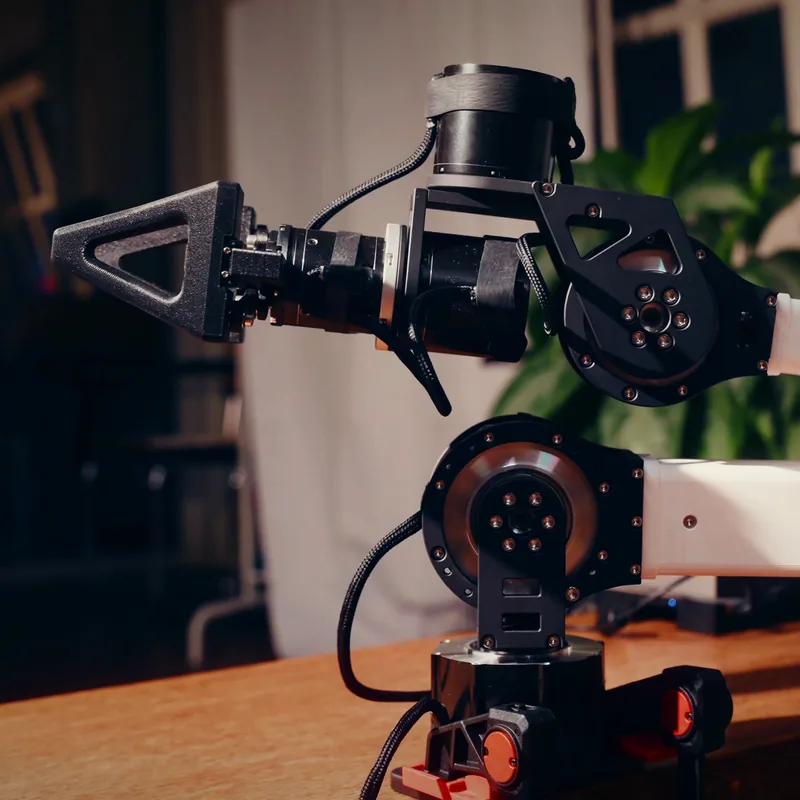
- Upper arm lying on its lower stop
- Forearm folded back on top of it
- Wrist straight, in line with the forearm
- Gripper fully open
Gravity does not locate joint1, joint5 and joint6: centre the base and keep the gripper straight, the same on both arms.
Hold the arm before you run the command. Each run turns that arm’s motors off, and it goes limp.
Follower
lerobot-calibrate $FOLLOWERLeader
lerobot-calibrate $LEADEREach run asks you to fold the arm to the stowed pose and press Enter, then shows every joint’s reading with its old and new offset and writes them on y. A bridge the plugin started is restarted to load the new zero and the arm is read again: every joint must read within 0.05 rad of zero.
Each joint’s zero lives in Arm/Arm_pair.yaml. The whole file is kept beside it as Arm_pair.yaml.before-zero-<time>.
Zero one joint only
Name the joint, a refitted gripper for example. Zeroing a joint whose zero is good adds the error of the pose you hold it in.
lerobot-calibrate $LEADER --teleop.zero_joints='["gripper_joint"]'If the file says calibrated: false
The bridge will not enable the motors until the directions are checked. Run the command below, then --mark-calibrated. The steps are in arm_guide.md, section 5.
python tools/calib_arm.py --config Arm/Arm_pair.yaml --signs4Teleoperate
Both arms on
Clear the area around both arms and keep the emergency stop within reach. Then move the leader by hand; the follower copies it.
Both arms move on their own for about 10 s at the start. With --teleop.gravity_calibration=true they visit two poses and return home, to measure what the gravity feed-forward misses.
lerobot-teleoperate $FOLLOWER $LEADER --teleop.gravity_calibration=true \ --robot.cameras="{ wrist: {type: opencv, index_or_path: /dev/v4l/by-path/<your camera>-video-index0, width: 640, height: 480, fps: 30, fourcc: MJPG}}"The leader is not limp. Both arms are enabled where they stand. The leader holds itself with position control and the gravity feed-forward: push it past a small threshold and it follows your hand; let go and it stays where it is. The follower copies its joint angles, speed-limited, and skips a step that would make it hit itself in the model. The follower’s gripper follows the leader’s.
Stop with one Ctrl-C, and wait. The follower, then the leader, fold to the stowed pose (about 20 s each) before the motors turn off. A second Ctrl-C during that, or killing the process, turns the motors off where the arms are, and they drop.
Cameras: find them and name them
lerobot-find-cameras opencv lists them. Name a camera by its /dev/v4l/by-path/… or /dev/v4l/by-id/… path (a /dev/videoN number can change after a reboot), and ask for MJPG: many USB cameras give 30 fps at 640×480 only in MJPG.
Name the wrist camera wrist and a fixed one top, as the robot card does, and use the same names, sizes and frame rate everywhere a policy will see them.
Make the leader lighter
After the calibration the log prints Gravity calibration done … and, when it matters, a feed-forward hint. Add it to the bridge’s --grav-scale (--robot.grav_scale=… --teleop.grav_scale=…) and the leader gets lighter. On Lucen’s own pair the yaml’s gravity_ff.scale: 0.53 left a hint of about −0.05: nothing to change.
5Record
Both arms on
Do the task with the leader, once per episode, and put the scene back during each reset.
lerobot-record $FOLLOWER $LEADER \ --robot.cameras="{ wrist: {...}, top: {...}}" \ --dataset.repo_id=you/cup --dataset.single_task="Put the cup on the plate" \ --dataset.num_episodes=30 --dataset.episode_time_s=25 --dataset.reset_time_s=8 \ --dataset.no_stamp=true --dataset.push_to_hub=false| n | Ends the episode, or the reset |
| r | Records the episode again |
| q | Stops |
The keys work over SSH from an interactive terminal (ssh -t).
LeRobot’s advice holds: at least 50 episodes, the cameras fixed, the task doable from the camera images alone.
Where the dataset is written
To ~/.cache/huggingface/lerobot/you/cup (LeRobot v3.0). --dataset.no_stamp=true keeps that name (LeRobot otherwise appends the date and time); --resume=true adds episodes to it.
What is recorded
observation.state is the follower’s measured joints and action is the target the follower was given, in radians, named joint1.pos … gripper_joint.pos. The cameras are recorded as observation.images.<name>.
Replay an episode on the follower
lerobot-replay $FOLLOWER --dataset.repo_id=you/cup --dataset.episode=06Train
Arm not needed
Train on your computer’s NVIDIA GPU, or push the dataset to MouseMouse and train on a cloud GPU.
On your own GPU
On the computer the arm is plugged into: the dataset is already there.
lerobot-train --dataset.repo_id=you/cup --policy.type=act --policy.device=cuda \ --output_dir=outputs/cup-act --job_name=cup-act --policy.push_to_hub=false --wandb.enable=falseAny LeRobot policy trains on the dataset (--policy.type=diffusion, or --policy.path=lerobot/smolvla_base to fine-tune SmolVLA). ACT’s default is 100,000 steps; on an RTX 5070 that is about 3.6 hours at batch 8.
Recorded on another computer?
Copy the dataset folder to the same place on the GPU computer first, so the command above finds it by its name. From the computer that recorded it:
ssh <user>@<GPU computer> "mkdir -p ~/.cache/huggingface/lerobot/you/cup"tar -C ~/.cache/huggingface/lerobot/you/cup -cf - . | ssh <user>@<GPU computer> "tar -C ~/.cache/huggingface/lerobot/you/cup -xf -"Send it again after you record more episodes.
On MouseMouse Lucen’s hub, a cloud GPU
Push the dataset, queue a run, pull the policy.
pip install lucen-cli && lucen auth login --url https://api.mousemouse.ai # a key with the train scopelucen push you/cup ~/.cache/huggingface/lerobot/you/cup --kind datasetcat > recipe.yaml <<'EOF'template: act # or diffusion, smolvla_loradataset: [lucen://you/cup]robot: lucen/laika-armexecutor: modalgpu: l4max_hours: 4budget_usd: 10hyperparams: {steps: 100000, batch_size: 8}EOFlucen train -f recipe.yamllucen pull you/<the run's model repo> ./cup-act # its policy/ folder is the checkpointThe hub holds one episode in ten out of training, scores every checkpoint on it, and checks the dataset’s joint names against the robot.
7Run the policy on the follower
Follower on, leader off
Keep the emergency stop within reach and start the policy on your computer’s GPU. Only the follower is enabled; the leader stays off.
lerobot-rollout --strategy.type=base --policy.path=outputs/cup-act/checkpoints/last/pretrained_model \ --policy.device=cuda $FOLLOWER --robot.cameras="{ wrist: {...}, top: {...}}" \ --task="Put the cup on the plate" --duration=60Every target the policy sends is held within 0.35 rad of the measured position (0.25 rad on the gripper), inside the joint limits, and the bridge limits its speed. At the end, or on one Ctrl-C, the follower folds to its stowed pose before its motors turn off.
The cameras must be the ones the policy was trained with: same names, same size.
A policy pulled from MouseMouse: its policy/ folder is the checkpoint. Run the same command from the folder you pulled it into, with --policy.path on that folder.
lerobot-rollout --strategy.type=base --policy.path=./cup-act/policy \ --policy.device=cuda $FOLLOWER --robot.cameras="{ wrist: {...}, top: {...}}" \ --task="Put the cup on the plate" --duration=60Both arms as one robot
lucen_arm_pair drives both arms of the pair as one bimanual robot: left_joint1.pos … right_gripper_joint.pos (left is the leader_ arm, right is the follower_ arm), with cameras left_wrist, right_wrist and top. Use it with a bimanual policy or teleoperator.
lerobot-rollout --strategy.type=base --policy.path=<a bimanual policy> --policy.device=cuda \ --robot.type=lucen_arm_pair --robot.arm_config=$CFG --robot.bridge_python=$HOME/lucen_env/bin/python \ --robot.cameras="{ left_wrist: {...}, right_wrist: {...}, top: {...}}" --task="..." --duration=60Nothing checks for collisions between the two arms: watch them. Both arms fold, one after the other, before the motors turn off.
Rehearse without hardware
No arm, no MC02
Unplug the MC02’s USB, so nothing can start a real bridge, then run every command above against the simulated bridge first.
python tools/fake_bridge.py --config Arm/Arm_pair.yaml --grav-scale 1.0 # terminal 1, ~/lucen_env activelerobot-setup-motors $FOLLOWER # terminal 2, ~/lerobot_env activeThe simulated bridge listens on the same port, so the plugins use it and leave it running. To feel what the gravity calibration measures, start it with --grav-scale 0.35: the simulated arm is the model, so the calibration should report a hint of about +0.65.
Coming from the SO-101 guide
The same LeRobot commands. Two steps are shorter and one is gone.
| LeRobot’s SO-101 guide | Lucen Arm |
|---|---|
lerobot-find-port | Not needed: the MC02 has a fixed path (/dev/mc02, from setup.sh) named in the yaml. |
lerobot-setup-motors sets each motor’s id, one motor at a time. | Ids are set before delivery; lerobot-setup-motors checks that every motor answers and reads inside its range. |
lerobot-calibrate: every joint to the middle, then through its whole range. | One pose, the stowed pose: RobStride encoders are absolute within a turn. |
| The leader is a limp arm with geared-down servos. | The leader is an identical arm that holds itself by torque and follows your hand. |
lerobot-teleoperate, lerobot-record, lerobot-train, lerobot-rollout | The same commands. |
When something goes wrong
Troubleshooting lists ten symptoms, from a board that is not found to a process that was killed, each with its cause and what to do.
Not there? Write to contact@lucenrobotics.com with the command you ran and what the terminal printed.
Open troubleshooting